The purpose of these instructions are to provide a consistent method for creating Ex Lib's articles to automate the process as much as possible and to enable its integration with the AAMC Library to a) encourage use of the library and b) enable use of the search capability in the library to find reviews of interest.
Article Upload
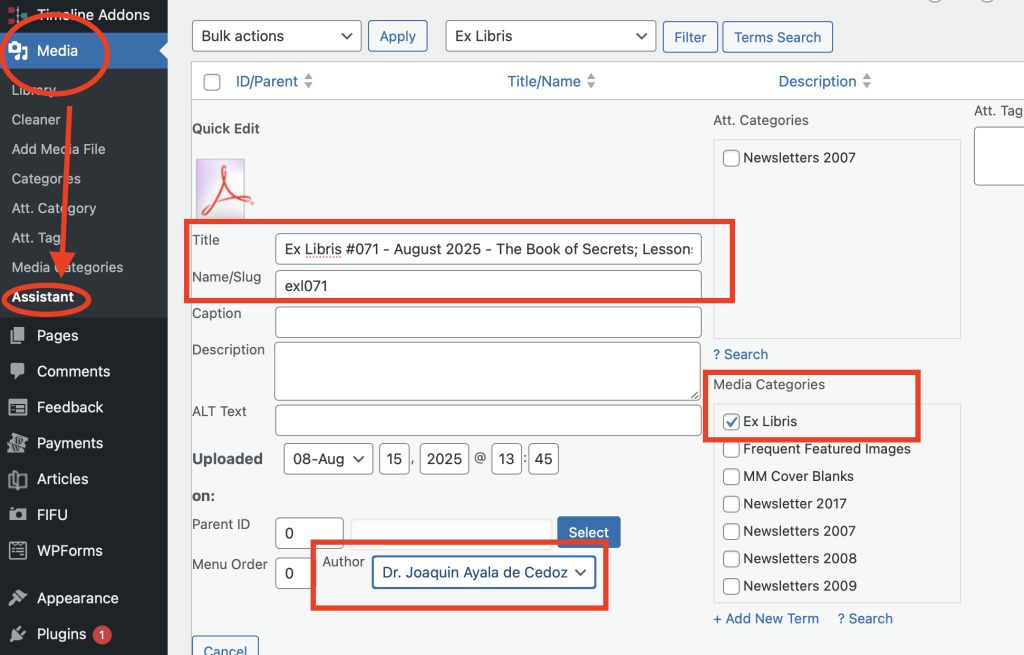
Ex Libris Articles are uploaded to the Media area as PDF files. Using the MEDIA LIBRARY ASSISTANT with the QUICK EDIT feature is the easiest way to do this. See screen shot.
FILENAME: The preferred filename is exl000.pdf where the 000 is replaced with a three digit issue number. Issue numbers should include leading zeros to facilitate sorting.
The following media settings are used and illustrated below...
- TITLE: Ex Libris #000 - <Month> Year> - <Book Name> by <Author>
- SLUG: exl000
- MEDIA CATEGORY: Ex Libris
- AUTHOR: <The person who wrote the article>
If the above convention is followed, the article will automatically appear in the Feature/Ex Libris entry. No further action should be required.
Article Header
It is suggested that the following information be included in a standard format at the beginning of each review.
- Book Title
- Book Author
- ISBN Number (if there is one)
- Link to book in AAMC Library (if it is in our library)
- Link to book in Conjuring Archive (if it exists)
Linking to AAMC Library
Once the Ex Libris article is published, the AAMC Webmaster will update the AAMC Library Catalog to add a reverse link to the review (if the book is already in our library) or add the book to our REVIEW ONLY catalog with a reverse link.
Examples
Here is an example of a link to the Conuring Archive...
https://www.conjuringarchive.com/list/book/128
Here is an example of a link to a book in the AAMC Library
https://www.librarycat.org/lib/AAMC/item/292960685
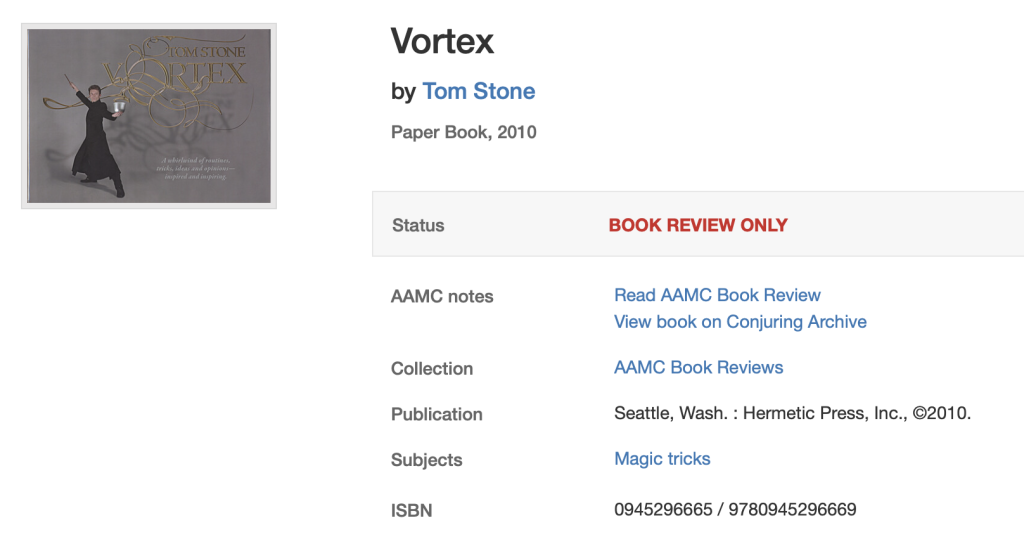
Here is what a Review Only entry looks like in our library.